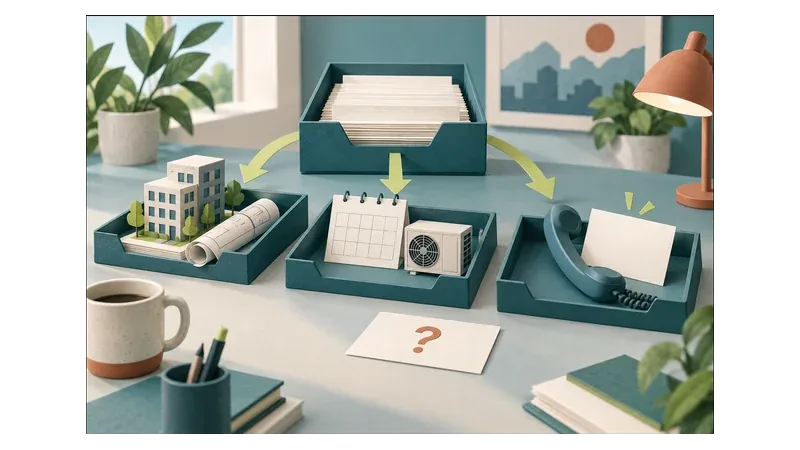
Separate HVAC marketing leads by the decision each customer needs to make. Installation enquiries need professional assessment before equipment sizing and scope are settled. Maintenance requests need service-scope and scheduling checks. Repair enquiries need office review of the reported problem, not an automatic maintenance booking or a remote diagnosis.
Carry that distinction from the advert through the landing page to the person handling the enquiry. Different buttons achieve little if every submission arrives as an unlabelled message with no clear owner or next step.
What is the customer actually asking for?
Offer plain-language choices: new installation or replacement, planned maintenance, and a fault with an existing system. Include not sure so customers do not need HVAC knowledge to contact you. Assign those uncertain requests to someone who can clarify the need before routing them.
Installation: invite an assessment, not a final specification
An installation page should explain which properties and projects the business serves, its genuine geographic coverage and what happens before a quotation is finalised.
Ask for the suburb, property type, whether this is a new installation or replacement, the spaces involved and the preferred project timeframe. A short description of the customer’s needs is more appropriate here than requiring them to select a system capacity.
Explain that sizing and equipment selection require professional assessment. A room description submitted through a marketing form should not establish the final specification.
Use an action such as Request an installation assessment. The acknowledgement should say that the team will review the request and agree the next step, not imply that an assessment appointment is already booked.
Maintenance: check scope before confirming a visit
For planned maintenance, establish whether the business services the equipment and can accommodate the site. Useful initial questions include:
- Is this a home or business premises?
- Which suburb is the property in?
- Is this a once-off service request or an ongoing maintenance enquiry?
- Approximately how many units are involved, if known?
- What days or access windows would suit the customer?
- Is there a current fault, or is this routine maintenance?
The last question flags requests that may need repair triage. Do not assume that someone choosing “maintenance” has correctly classified the work. Allow “not sure” for equipment details rather than forcing a guess.
Use Request a maintenance visit while scope and availability remain unconfirmed. A preferred date is not a booking.
Repair: record the reported problem without diagnosing it
Ask what the customer has noticed, the suburb, whether the premises are residential or commercial, and how to contact them. A brief description of the impact on the premises can help staff review the request without promising immediate attendance.
Keep this as administrative triage. Do not ask customers to open equipment, perform tests or follow technical repair instructions. A symptom description should not become a promised diagnosis, repair or parts quotation.
Use Request a repair assessment and explain that service fit and availability need review before a visit is confirmed. Only advertise emergency or out-of-hours attendance where that service genuinely exists.
Across all three routes, collect only the contact and job-context details needed for the next decision. Initial forms should not request passwords, building access codes or identity documents.
Does each service need a separate campaign?
Separate the customer journeys first. Then decide whether differences in budget, coverage and capacity justify separate campaigns.
Use distinct advert messages and destinations when the requested action differs. An installation advert should not lead to a page whose main instruction is to select a maintenance date. If one page serves several needs, make the choices obvious and preserve the chosen service in the enquiry record.
Separate campaigns may be useful when installation assessments can be accepted but maintenance capacity is constrained, or when commercial maintenance has a different service area. If those controls do not need to differ, a simpler structure may be sufficient. Check the appropriate setup in the account rather than assuming every service needs a standalone campaign.
For paid search, Google’s negative keyword guidance explains that negative keywords exclude search terms and that their match types behave differently from positive keywords. It also warns that excessive exclusions can restrict reach.
As a practical recommendation, do not exclude “repair” across the account simply because the business wants more installations. Someone considering replacement may describe an unreliable existing unit. Review the full search intent and the scope of an exclusion before applying it. A term irrelevant to one service may still matter to another.
Check coverage for each kind of work
Write down the actual areas served for installation, maintenance and repairs. The territory viable for an installation project may not be viable for a routine maintenance visit.
Google’s location-targeting guidance says targeting uses multiple signals and does not guarantee complete accuracy. Keep a suburb or service-area question in the intake process even when adverts are geographically targeted.
Publish genuine coverage without inventing branch offices. Where a location needs review, explain that before discussing a visit as confirmed.
Illustrative example: the same office, three different requests
Consider an office manager contacting an HVAC company. This is an illustrative workflow, not a client result.
The office is opening an additional workspace. Route the enquiry to the person coordinating installation assessments. Record the premises type, location and project timeframe. Equipment selection remains subject to professional assessment.
The existing office needs routine servicing. Route the request to maintenance scheduling. Check equipment scope and suitable access windows before confirming a visit.
An existing unit is not cooling as expected. Route the message for repair triage. Record the reported symptom and its impact without promising that a routine service will resolve it.
If the manager requests maintenance but mentions poor cooling, flag the message for review rather than silently treating it as routine servicing. If they need both a new installation and existing equipment checked, keep the requests linked but give each its own next step and owner.
The customer and address could be identical throughout. What changes is the decision needed and the meaning of progress.
Measure progress separately from submissions
Keep service type and enquiry status as separate fields. “Repair” identifies the requested work; it does not tell you whether the business can accept it.
Use statuses that distinguish enquiry received, service fit checked, assessment or visit agreed, quotation issued where applicable, and work accepted or declined. Record why requests cannot progress, such as location, unsupported equipment or unavailable capacity.
Review the service types separately. An installation enquiry awaiting assessment is at a different stage from a confirmed maintenance visit. Compare progress within each journey before judging them by one combined cost per form submission. The guide to checking whether submissions become qualified enquiries develops this distinction.
Google Ads also distinguishes measurement actions. Its primary and secondary conversion guidance explains that primary actions are used for bidding when their standard goal is used for bidding. Secondary actions generally support observation, except when included in a custom goal.
Before changing settings, check the account’s goals and what each recorded action represents. A button click, an enquiry and an agreed visit are not interchangeable business outcomes. Recording enquiry stages internally does not, by itself, mean those stages are available in advertising reports.
Once an installation enquiry reaches the survey or quotation stage, use the guide to air-conditioning quote follow-up to separate reminders from scheduling commitments.
A readiness checklist before increasing spend
Review these checks with whoever manages adverts and whoever handles incoming work:
- Installation: Does the page leave sizing and equipment selection to professional assessment?
- Maintenance: Are preferred dates clearly requests until scope and availability are confirmed?
- Repair: Can staff record symptoms without giving technical instructions or promising a diagnosis?
- Ambiguity: Is someone responsible for uncertain, mixed or incorrectly categorised requests?
- Coverage: Are advertised areas accurate for each service?
- Handover: Does the enquiry retain its service type and reach a named role?
- Capacity: Can advertising decisions reflect the work the business can accept?
- Measurement: Can the team distinguish submissions, qualified enquiries and agreed visits?
Resolve unclear answers before seeking more volume. Digital 4 Jesus’s paid marketing service connects campaign messages, landing destinations and follow-up with a shared measurement plan.
For an implementation discussion, bring your service areas, the work you want to attract and a description of how each enquiry is currently handled. Use the strategy form to discuss your HVAC campaign plan, starting with which requests should lead to an assessment, a scheduling check or repair triage. A short process description is enough. Leave out customer records and access credentials.