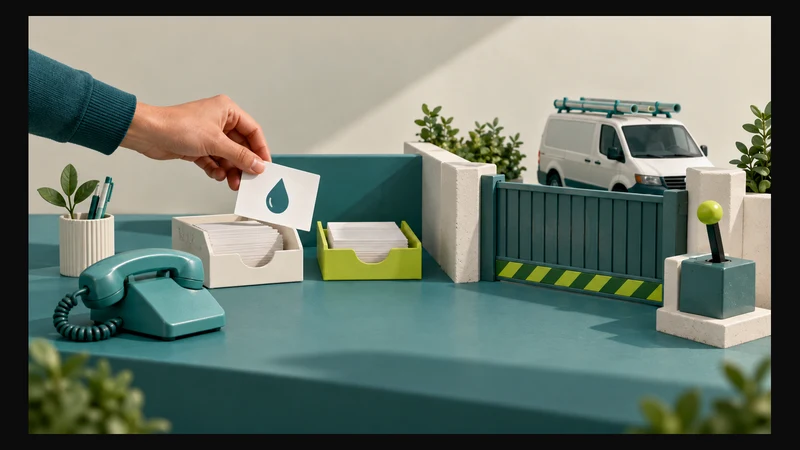
Plumbing landing pages should give emergency enquiries and renovation projects distinct routes when the business genuinely offers both. An urgent customer needs to know whether you handle the problem, cover the area and are available to attend. A renovation customer needs to understand your role in the project and how its scope will be assessed.
That calls for different information, evidence and next steps, not simply different headlines above the same form. Neither route should imply that submitting an enquiry confirms attendance, a quotation or a start date.
Do you need two pages or one clearly divided page?
Use separate landing pages when each service needs a substantial explanation, particularly if you direct service-specific advertising to them. A bathroom renovation advert should not lead to a page dominated by emergency callouts. Someone seeking an urgent repair should not have to browse a renovation gallery to find contact details.
A smaller business may be better served initially by one plumbing page with clearly labelled routes for urgent repair enquiries and planned projects. Before creating separate pages, ask:
- Do we actually accept both kinds of work?
- Does each require a different first conversation or assessment?
- Can we explain each service’s boundaries and provide relevant evidence?
- Who will keep the contact instructions and service details accurate?
If only the heading would change, improve the substance before adding another page. Keep ordinary, non-urgent repairs visible too, so customers are not forced to describe routine maintenance as an emergency or renovation.
What should an emergency plumbing page establish first?
Put accepted types of urgent work, genuine service areas, contact hours and the appropriate contact route near the top. These details help visitors decide whether to contact you without implying that someone is already available.
A telephone number does not establish current availability. A form accepting submissions outside working hours does not mean someone is monitoring it then. Explain any such limitations beside the action, rather than in the footer.
Call to check availability is an appropriate action where calls are the business’s actual first step. A callback form can be secondary, with clear expectations. Avoid Book an emergency plumber if the process only sends an enquiry.
Distinguish three decisions:
- Service fit: Does the business handle this problem in this area?
- Attendance: Can a visit be agreed after contact?
- Assessment and work: What must be checked before the scope and cost can be agreed?
Explain actual callout or assessment terms before visitors commit to the next step. Do not imply that a short description establishes the fault or final repair cost. The page should support contact and set expectations, not attempt a remote diagnosis.
The companion guide to qualifying plumbing urgency without promising availability addresses the advertising language that leads into this page.
What should a renovation customer understand before enquiring?
A renovation page should establish project fit. State what the business takes responsibility for: plumbing within bathroom renovations, for example, rather than complete bathroom refurbishment, if that is the actual service boundary.
This matters when photographs show a finished room. Visitors should not have to guess whether the plumber supplied fittings, managed tiling or coordinated other trades.
Explain the assessment process in plain language:
- What initial information helps you decide whether the project fits?
- When would a site assessment be discussed?
- What decisions or site conditions need checking before a quotation?
- How will proposed dates be considered alongside the wider renovation programme?
- What must the customer arrange separately?
A preferred start period is context, not a reserved slot. Explain whether the first step is a conversation, information review or proposed site visit, according to the actual process.
Use Discuss your renovation plumbing or Request a project assessment, rather than suggesting that an initial form is enough to price and schedule the work.
Match the evidence to the customer’s uncertainty
Both pages need genuine business identity and accurate coverage. Beyond that, select evidence for the decision at hand.
Emergency work: demonstrate relevant service experience
Use concise examples of repair work the business actually undertakes, supported by genuine photographs where appropriate. A brief account of the work shown is more useful than an unexplained image of tools.
Authentic customer feedback can add context, but a review describing prompt attendance on a previous job does not establish availability now. Do not turn historical feedback into a standing response-time promise.
Renovations: make your scope visible
A project example should explain the brief, the plumbing work undertaken and the limits of the contractor’s involvement. Where relevant, describe how that scope related to other trades’ work.
Use authorised photographs of real projects, with captions identifying your contribution. Do not present stock or generated bathroom images as completed work. If suitable photographs are unavailable, explain the actual assessment process rather than manufacturing a portfolio.
Illustrative example: the same room, different decisions
Consider two homeowners contacting a plumbing business about a bathroom. This is an illustrative example, not a client result.
Urgent repair: One homeowner reports water appearing beneath a basin and wants to check whether someone can attend. The page prioritises covered areas, accepted repair types and contact instructions. It asks for a short description, not a technical diagnosis. Any visit still needs confirmation.
Planned renovation: Another homeowner wants to change the bathroom layout. The page explains the plumbing scope offered, provides relevant project evidence and asks about planning stage and intended timing. Feasibility and quotation requirements remain subject to assessment.
Both might select “bathroom” on a generic form. That answer does not distinguish their needs. The useful first distinction is an existing problem needing attention versus a planned change needing scope definition.
Ask for different information without making either form burdensome
For an urgent enquiry, consider a name, contact number, suburb and short description, including whether the problem is ongoing. Do not require the customer to identify a fault or upload a photograph before making contact.
For renovations, ask about project type, planning stage, intended changes and preferred timing. Allow “not yet decided” where appropriate. Detailed plans can be requested later through an agreed channel if needed.
These are workflow recommendations, not mandatory field lists. The W3C Forms Tutorial recommends short, simple forms requesting only information needed for the process, with properly associated labels and clear instructions.
For either route:
- Explain how enquiry details will be used.
- Do not request access codes, identity documents or unrelated personal information.
- Use suburb-level information for the initial coverage check where sufficient; arrange precise location details later when needed.
- Check that visitors can complete the form and correct errors on a phone and using a keyboard.
After submission, confirm what actually happened. The W3C guidance on form notifications calls for clear success feedback and understandable errors with correction instructions. Confirm successful submission only when it has succeeded, then describe the real next step. Do not label a submitted enquiry as a confirmed visit.
Before automating acknowledgements or routing, assign responsibility for each enquiry type. The workflow readiness checklist can help structure that preparation.
After separating the two page journeys, use the companion guide to measuring which plumbing enquiries become suitable booked jobs to review whether each route produces work you can accept.
A practical page-brief checklist
Review the proposed pages side by side before approving the design:
- Opening: Can each visitor identify the right service and next step without scrolling through unrelated work?
- Coverage: Are accepted jobs, areas and contact hours accurate?
- Assessment: Is it clear what remains unknown until discussion or inspection?
- Evidence: Do examples support this service without overstating your involvement?
- Action: Does the button accurately describe an enquiry, availability check or assessment request?
- Form: Does every required field help the initial decision?
- Confirmation: Could submission be mistaken for an agreed visit or project start?
- Ownership: Who reviews each enquiry type and maintains the page’s claims?
As a final practical check, follow each route from its advert or navigation link through to the submission message. The promise should remain consistent throughout. Separating the pages is only useful if the customer reaches a genuinely different, appropriate conversation.
If your current website mixes these journeys, Digital 4 Jesus’s website design and development service covers page planning and contact paths. Share your current website, the plumbing services you accept and your actual assessment process to discuss what should be separated, improved or retained.