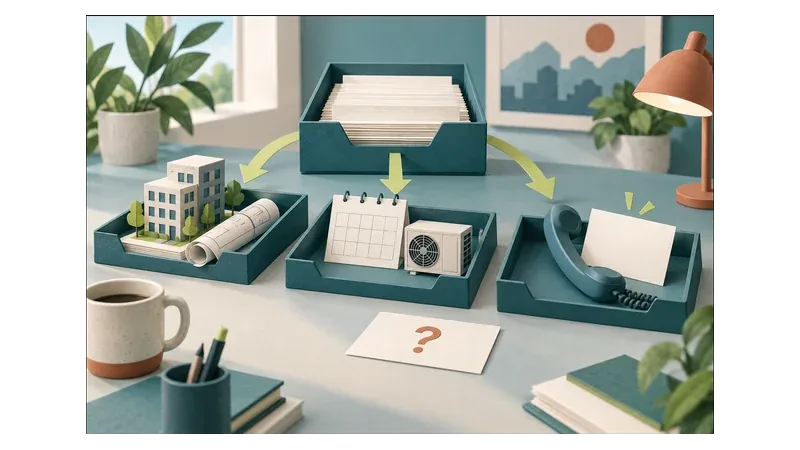
A commercial HVAC enquiry form should establish what kind of site needs maintenance, where it is, what help is requested and who can discuss the work. Equipment details should be optional. Submission should request a conversation, not confirm a technician visit, maintenance contract or service-level agreement (SLA).
The test for each field is whether your office needs the answer to decide the next step. A facilities manager should be able to enquire without finding serial numbers, uploading an asset register or knowing who will approve the eventual contract.
Establish service fit before asking for technical detail
Above the form, describe the commercial maintenance work you actually offer and the areas you genuinely cover. Distinguish geographic coverage from equipment capability: being near a site does not necessarily mean your team maintains its systems. State known exclusions before asking someone to complete the form. If you need to clarify which areas belong on the page, use the guide to HVAC local coverage and useful location pages.
Give the form a specific purpose, such as requesting a maintenance discussion. If installation enquiries share the page, provide a separate route rather than adding installation questions to every maintenance request. See the related guide to separating HVAC installation enquiries from maintenance requests.
Existing customers reporting faults under an agreement may need a different contact route. Display that route if the business operates it, and explain that the general enquiry form does not replace agreed reporting arrangements.
Which fields should be required?
Ask: would the missing answer prevent an initial service-fit decision or a reply? If not, make it optional or ask later.
The W3C Forms Tutorial recommends short, simple forms that ask only for information needed to complete the process.[1] The following is a suggested starting brief for this enquiry, not a prescribed standard.
| Field | Suggested treatment | Purpose |
|---|---|---|
| Business or organisation name | Required | Identify the organisation enquiring |
| Site type | Required, with Other and Not sure options | Assess whether the premises fit the service offered |
| Site suburb or town and province | Required | Assess geographic coverage |
| Request type | Required, with Not sure available | Distinguish routine maintenance, agreement enquiries and current issues |
| Contact name | Required | Identify who to contact |
| Role or relationship to the site | Optional | Understand who coordinates maintenance |
| Reply details | Require one usable contact method | Continue the conversation |
| Brief description | Optional | Add context not covered by the choices |
| Equipment information | Optional | Help assess equipment scope |
Use familiar site descriptions, such as office, retail premises, warehouse, hospitality property or mixed-use building. Tailor the choices to your actual customers rather than requiring a technical building classification.
Label the location as the site needing maintenance, not simply Address. A head-office address may be irrelevant. A full street address can wait if suburb or town and province are sufficient for the initial coverage check.
For multi-site requests, allow a brief description of the areas involved. Do not require a complete property list before discussing whether the work is suitable.
Keep equipment knowledge optional
The person arranging maintenance may know that the offices have ceiling-mounted units but not know their system type, capacity or model. That should not prevent an enquiry.
An optional equipment section could ask for:
- System type, with a Not sure option.
- Approximate number of units, if known.
- Brand or model, if readily available.
- Existing maintenance arrangements, described briefly without attaching contracts.
Explain that missing details can be discussed later. Do not ask visitors to inspect equipment, remove covers or enter restricted areas to complete the form.
For an initial enquiry, omitting uploads is a sensible starting point. If photographs, service histories or asset schedules become necessary, the office can explain what is needed and arrange an appropriate way to share them.
Ask for an observed issue rather than a diagnosis. A note that a meeting room is not cooling gives useful context; requiring a suspected component failure asks the customer to do a technical assessment.
Ask for an operational contact, not a procurement dossier
The first useful contact is someone who can explain the site and coordinate a conversation. That might be a facilities manager, property administrator, tenant representative or business owner. They are not necessarily authorised to approve expenditure.
Do not treat a job title or responsibility for maintenance as authority to accept a quote. Establish approval responsibilities later if the enquiry progresses.
Keep the initial data request narrow:
- Do not request identity documents, banking information or financial records.
- Do not collect passwords, building access codes or security procedures.
- Avoid asking for another person’s details when the enquirer can coordinate the handover.
- Keep promotional sign-ups separate from the maintenance request.
Beside the description field, ask visitors not to include confidential records or access credentials. Explain how enquiry details will be used and make the business’s privacy information easy to find. These are form-design recommendations, not a claim that a short form establishes POPIA compliance.
Agree who may access submissions and how enquiry records will be handled with the person responsible for privacy in your business. Review the wider privacy obligations with that person, using the Information Regulator’s POPIA resources.[4]
Make the boundary between enquiry and agreement visible
Place the boundary near the submit button, not only in general terms elsewhere. Explain that coverage, equipment scope, availability and commercial terms still need review.
Illustrative form wording:
Send a maintenance enquiry for review. Submission does not confirm an appointment, technician dispatch, maintenance agreement or service-level commitment. Any work and applicable terms must be agreed separately.
Use Send maintenance enquiry, rather than Confirm service or Book technician, as the button label.
If preferred timing is useful, make it optional and label it as a preference subject to discussion. Do not present a date picker as a list of available appointments.
For current issues, state whether the form is monitored for urgent requests. If it is not, say so before submission. Where a genuine fault-reporting route exists, display its actual operating limits without suggesting emergency availability the business does not provide.
Illustrative example: an office manager without an asset register
An office manager wants to discuss recurring maintenance for leased premises. They know the suburb and which rooms have air-conditioning, but not the equipment models. They also cannot approve a contract.
They select Office, enter the site’s location, choose Maintenance agreement enquiry and provide their own work contact details. They leave the equipment section blank and explain that they coordinate with the landlord.
The office now has enough information to check geographic coverage and begin a conversation. It still needs to clarify equipment scope and identify who should participate in any proposal. Unknown equipment details are a follow-up question, not a reason to reject the submission or assume the work can be accepted.
Confirm submission, then assign the next decision
Show a success message only after submission succeeds, and confirm only that the enquiry was submitted. Do not change the language to Booking confirmed or Agreement activated.
The W3C guidance on form notifications recommends clear success feedback and errors that explain how to correct mistakes.[2] Identify the field needing attention and provide a useful correction, rather than a generic failure message.
Internally, distinguish a received enquiry from a scope discussion and confirmed work. Assign someone to review coverage, request missing context and respond to unsuitable requests. Before automating this handover, use the workflow readiness checklist to consider ownership and exceptions.
For installation work that progresses to a quote, see the guide to air-conditioning quote follow-up and scheduling checks. Keep that follow-up separate from maintenance intake.
A practical sign-off checklist
Ask your office team and website developer to check that:
- Service areas and exclusions reflect the work you actually accept.
- Site location cannot be confused with a billing or head-office address.
- A non-technical contact can submit without equipment records.
- Every required field supports assessment or a reply.
- Keyboard navigation works and fields have clearly associated labels.
- Errors explain what to correct, including on mobile, without unnecessarily losing entered information.
- Successful submissions reach the person responsible for review.
- Confidential records and access credentials are not requested.
- Timing preferences, submission feedback and acknowledgements preserve enquiry-only status.
A focused form improvement may be enough; a complete website replacement is not always necessary. D4J’s website design and development service addresses service clarity and practical contact journeys.
Gather your current form, genuine coverage areas, accepted maintenance work and the questions your office needs answered first. Discuss your HVAC website enquiry journey with Digital 4 Jesus to scope what should be simplified, preserved or rebuilt.